A Cloud VMS for the Video You Already Run

WINK Crossroad is the browser-based management layer over your WINK deployment. Watch live streams from WINK Media Router, see the state of every WINK Forge appliance in the field, and track, manage, and share the whole estate from one place.

No workstation software to install, no VPN into the camera network, and nothing new to rack. Crossroad runs in the cloud and talks to the infrastructure you already have deployed.

Request Demo Read the Technical Brief
Traffic management center operators monitoring live camera feeds
Overview

What WINK Crossroad Is

A cloud-based video management system built around two jobs: showing operators live video, and telling engineers what the platform delivering that video is actually doing.

Most VMS products stop at the first job. They put cameras in a grid and leave the health of the streaming infrastructure to a separate monitoring stack, which is why the first person to notice a broken feed is usually a member of the public. Crossroad treats viewing and monitoring as the same product, because in a distributed camera estate they are the same question asked two ways.

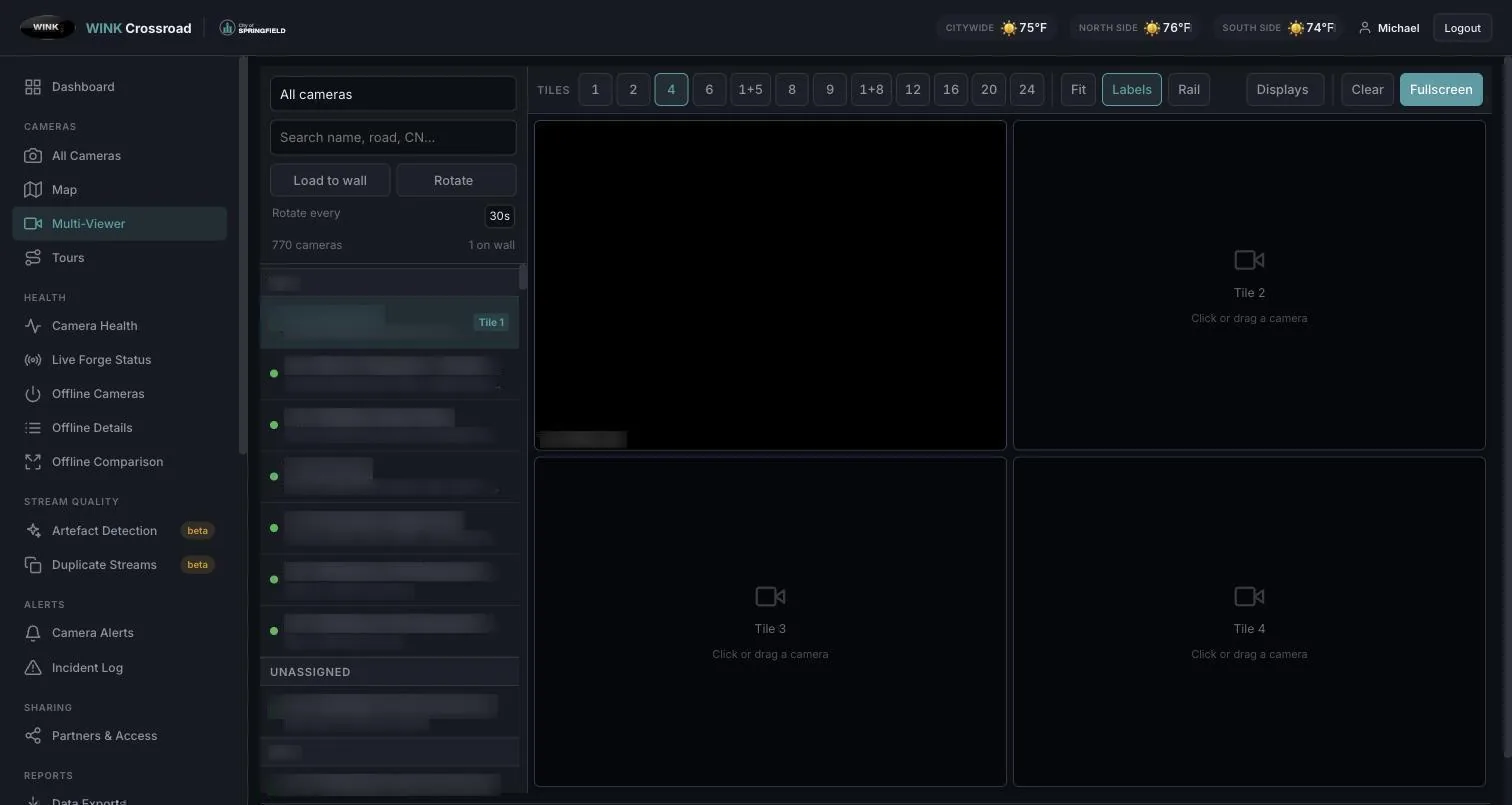
On the viewing side, Crossroad plays live streams distributed by WINK Media Router in any modern browser, with multi-camera layouts, PTZ control where the camera supports it, and token-authenticated access so no permanent credentials are handed out. On the monitoring side, it tracks the WINK Forge appliances doing the encoding and transcoding, the routers doing the distribution, and the individual streams flowing through both.

Underneath both sits the camera fleet itself. Crossroad holds one authoritative record per camera keyed on its VMS GUID, verifies health by decoding a real frame rather than opening a socket, governs which partner may see which cameras, and generates the encoder configuration that produces the streams it monitors. That last point is what keeps the camera record, the encoder, and the public stream URL from drifting apart.

Around all of it is the management layer: users and roles, agency and partner access, audit history, and the record of what changed and who changed it.

At a Glance

  • Cloud-hosted: browser access, nothing to install
  • Live viewing: Media Router streams in multi-camera layouts
  • Forge fleet visibility: appliance state, inputs, outputs
  • Stream-level monitoring: what is up, what is degraded, what is dark
  • Tracking and history: events, changes, and access over time
  • Management: users, roles, agencies, and partner access
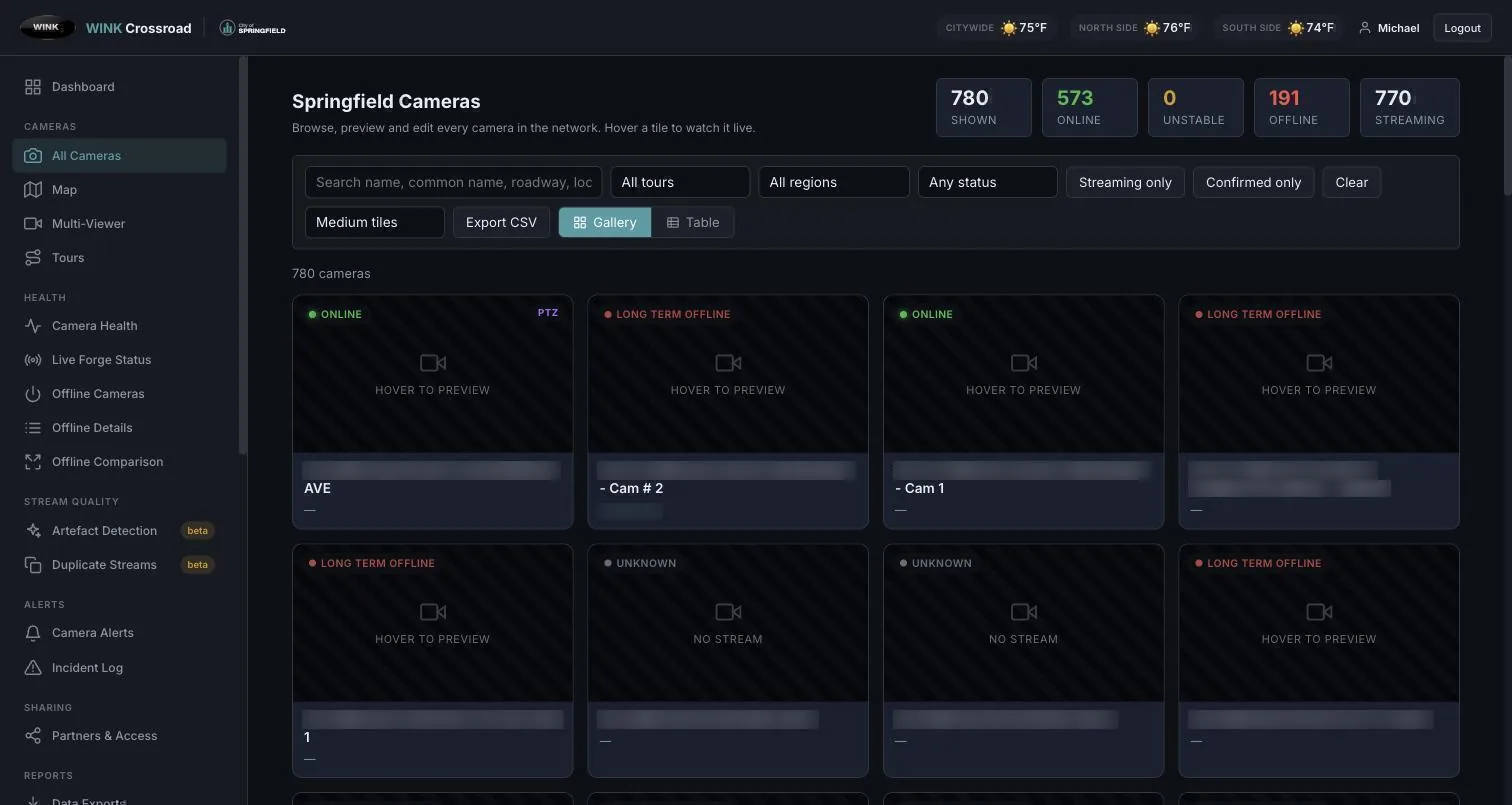
  • Camera fleet: VMS-keyed inventory with verified health
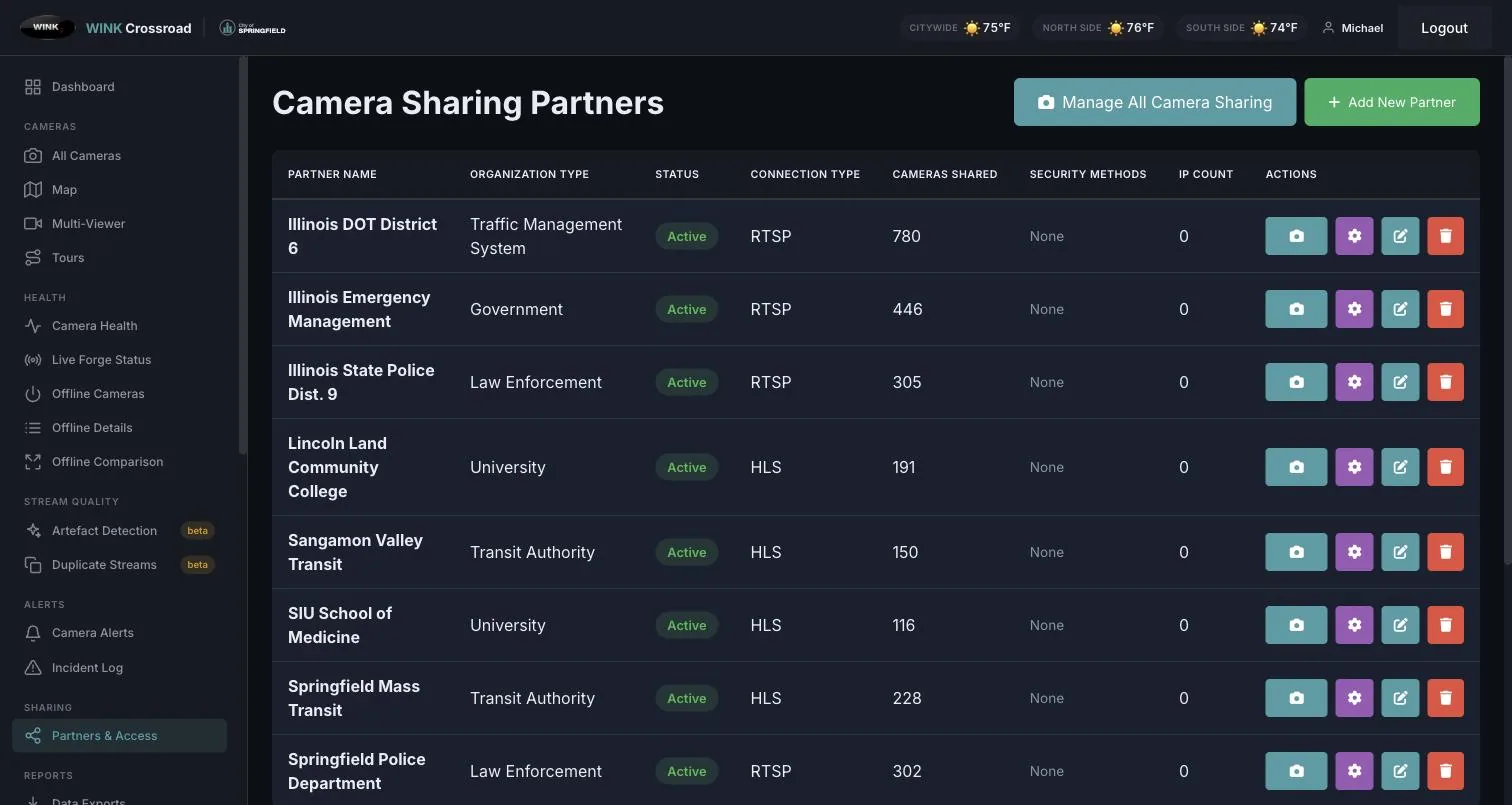
  • Partner sharing: isolated endpoints and a public REST API
Capabilities

Viewing, Monitoring, Management

Live Video

  • Live Media Router streams in the browser
  • Multi-camera layouts and saved views
  • Token-authenticated playback (OTP)
  • PTZ control where the camera supports it
  • Per-camera snapshots for fast scanning

Forge Fleet Monitoring

  • Every Forge appliance in one list
  • Input and output stream state per unit
  • Reachability and version tracking
  • Field appliances behind NAT included
  • History retained, not just current state

Stream Health

  • Up, degraded, and dark streams surfaced
  • Origin and delivery checked separately
  • Trend view rather than a single ping
  • Alerting on the conditions you choose
  • Evidence to hand to the camera owner

Users and Agencies

  • Role-based access control
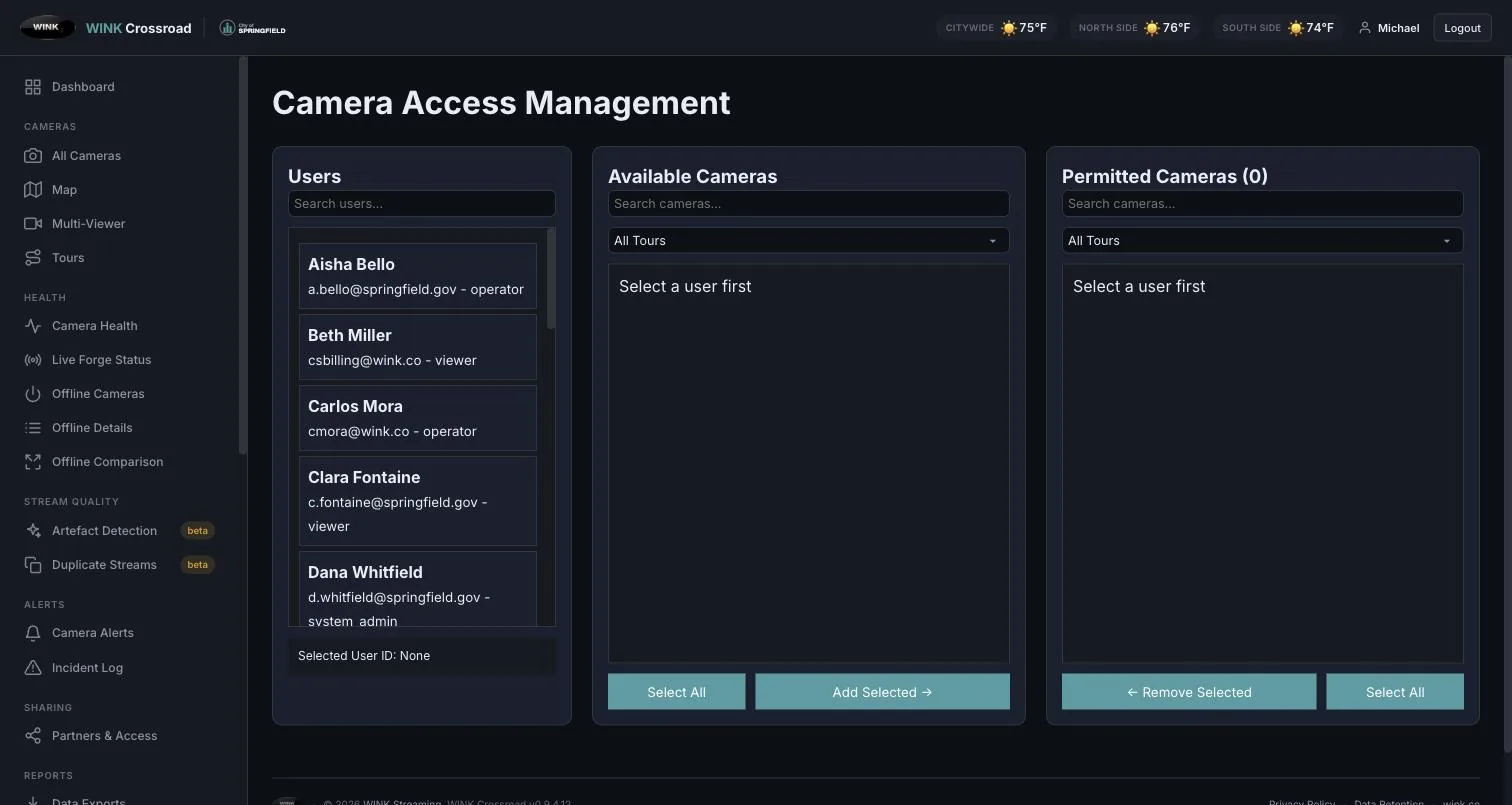
  • Per-agency and per-camera grants
  • Partner access without network access
  • Session and activity logging
  • Access reviewed against the database, not the session

Tracking and Audit

  • Who watched what, and when
  • Configuration change history
  • Alert acknowledgement and resolution
  • Exportable records for reporting
  • Retention policy applied automatically

Integration

  • Native Genetec Security Center integration
  • WINK Archive for recorded video
  • WINK LiveView on mobile
  • Generic RTSP and HLS sources
  • API access for downstream systems
Architecture

Where Crossroad Sits

Video never has to leave your infrastructure to be managed. Forge appliances encode and transcode at the edge, Media Router distributes, and Crossroad is the control and visibility plane on top, reaching the routers for live playback and the appliances for state.

That separation is deliberate. If Crossroad is unreachable, cameras keep publishing and routers keep distributing. What you lose is the management view, not the video. It is also what makes cloud hosting acceptable to agencies that will not put a management server inside the camera VLAN.

Built In

The Diagnostics, Without the Command Line

The analysis in our free command-line tools is the same analysis running inside the platform. The CLI versions are for a quick look from a laptop; in a production deployment, Forge, Media Router, and Crossroad do this continuously with a web UI in front of it.

RTSP packet loss and jitter analysis RTP clock drift detection HLS cache and CDN behavior Keyframe alignment checks Stream fingerprinting ONVIF discovery and camera identification SDP inspection and validation Throughput and load measurement

In the Field

An operator reporting "camera 42 looks bad" becomes a measurement rather than an argument. Crossroad already holds the packet loss, jitter, and delivery history for that stream, at the origin and at the router, so the conversation with the camera owner starts with evidence.

Before Go-Live

The same checks run during commissioning. Cameras that publish but never produce a decodable frame, streams with misaligned keyframes, and links that cannot sustain the configured bitrate are caught before the public sees them, not after.

Camera Fleet

Online Means an Image Came Back

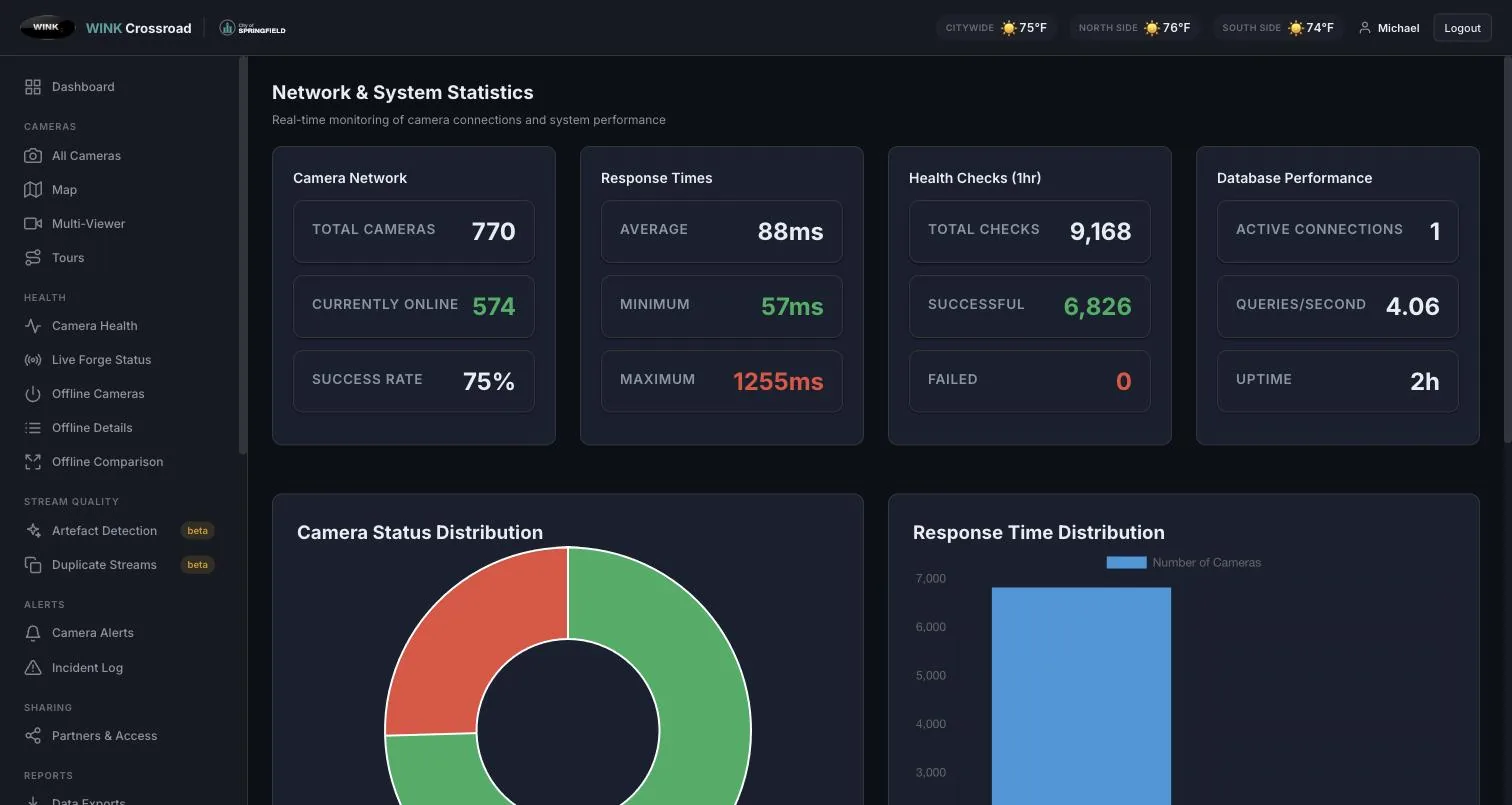
Most monitoring calls a camera healthy when a port answers. Crossroad pulls a real decoded video frame over RTSP from every camera on a rolling cycle, and only counts it online when an image actually arrives.

That difference is what catches the cameras nothing else catches: the one that accepted the connection and streamed nothing, the one frozen on its last frame, and the one publishing a "No Video" placeholder card that satisfies every stream level check ever written.

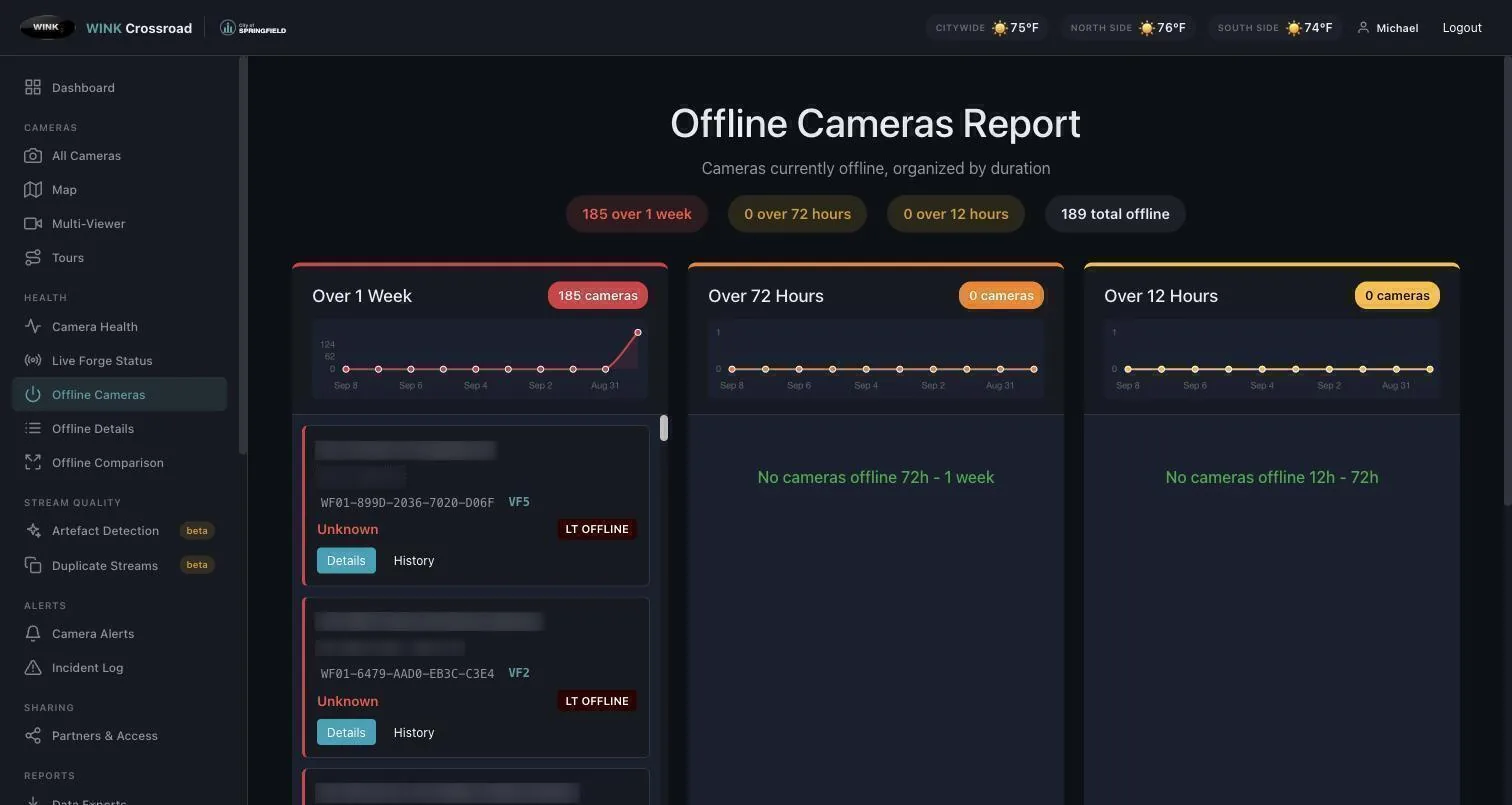
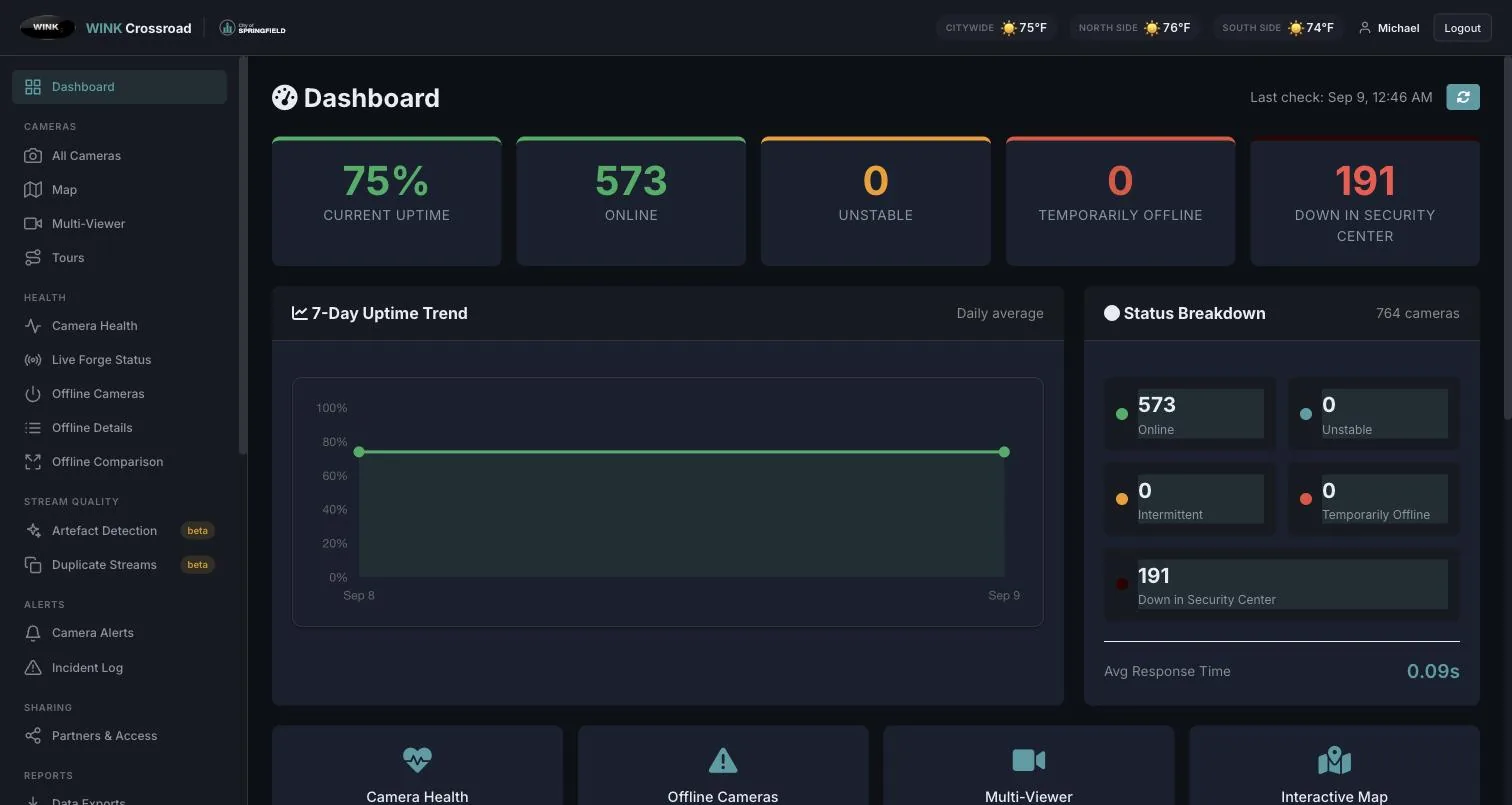
A five state model separates a camera that flaps from one that is genuinely dead, and state survives service restarts. Millions of checks are retained as a queryable uptime time series, so a question about last quarter has an answer rather than an opinion.

OnlineFrame decoded
UnstableIntermittent frames
IntermittentRecurring dropouts
OfflineNo frame
Long-Term OfflineSustained outage

Authoritative Inventory

One master record per camera, combining operational metadata such as name, roadway, milepost, locality, region, orientation, and GPS with VMS identity. Keyed on VMS GUID rather than name matched, which eliminates the duplicate record problem that plagues name based systems. VMS exports ingest automatically, auditably, and idempotently.

Origin and Delivery Checked Separately

An independent probe checks each camera twice, once at the encoder appliance and once through the public media router that partners actually consume. That separates a working camera from a watchable one, and flags placeholder frame cameras that naive monitors report as healthy.

Alerting With a Workflow

Per user subscriptions with percentage of fleet down thresholds, reliable camera down escalation, recovery notifications, fleet wide guardrail alarms, and scheduled daily summaries. Acknowledgement, escalation, and resolution are tracked, duplicates are suppressed, and every notification sent is in the audit trail.

Partner Sharing With Isolation

Partners are first class entities, each with its own connection method, IP whitelist, credentials, and explicitly selected camera set, delivered on an isolated stream endpoint with its own port and credential pair. Access can be granted, rotated, or revoked per partner without disrupting any other consumer.

Public REST API

Key authenticated JSON delivering the deduplicated camera list with metadata, HLS and RTSP stream URLs, PTZ and portable flags, live up or down status, and an always current snapshot image per camera, filterable by status, roadway, PTZ, and camera type. Built for partner self service.

It Generates the Config It Monitors

Encoder configurations are regenerated directly from the same database that holds the inventory, preserving stream identifiers so downstream consumers never break, while excluding decommissioned cameras. Duplicate detection, cross appliance reconciliation, and naming standardization are built in rather than manual.

Reporting and Data Exchange

Charted executive PDF reports generated asynchronously and emailed on completion. Uptime by month, quarter, or year, in summary or per camera detail. An Excel export suite including partner specific workbooks, a master reference, and standard traffic data exchange formats. Every export also runs headlessly.

Operational Workflow

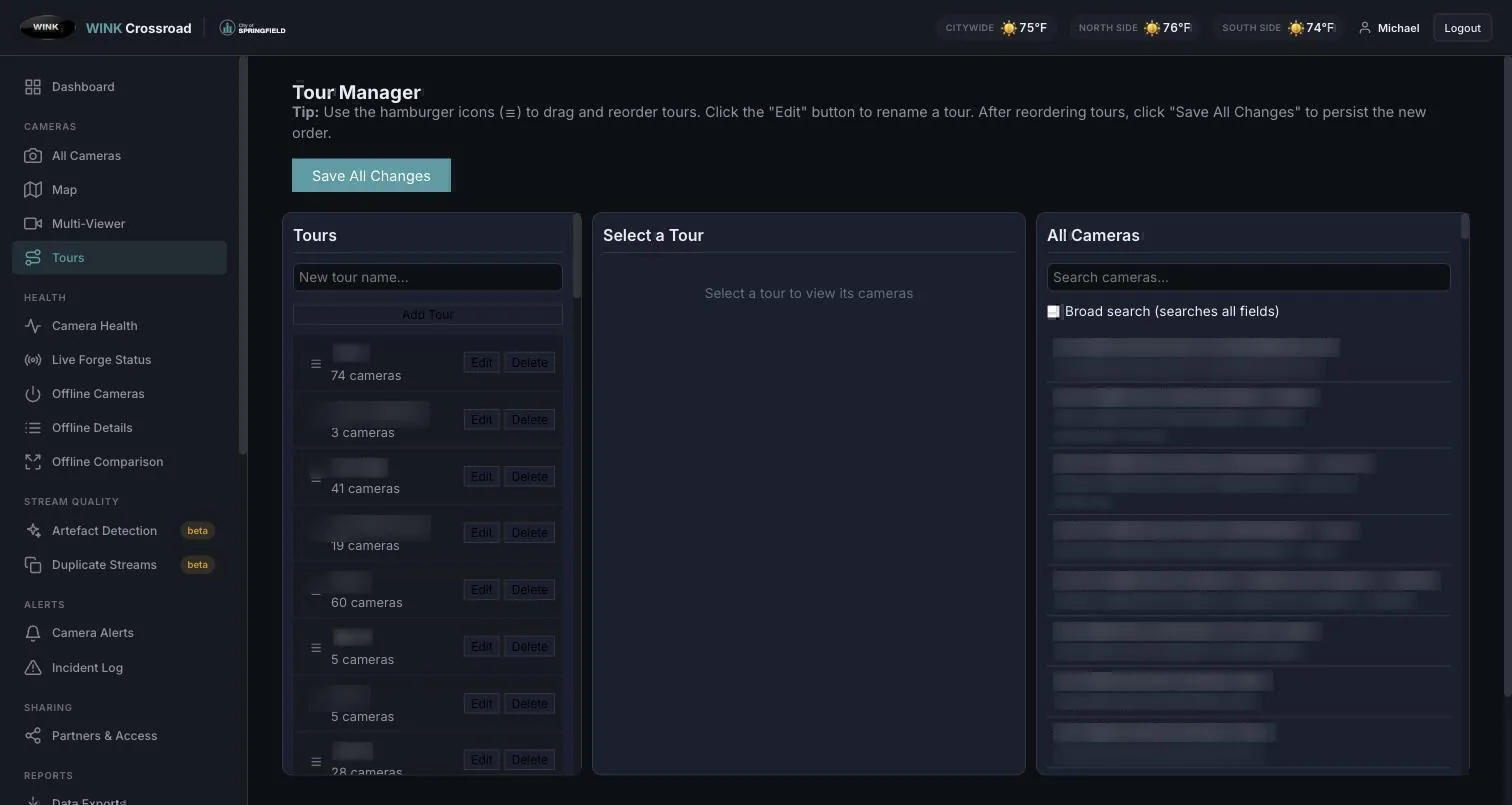
An Excel style bulk editing grid with paste in place, multi select, undo and redo, and validation. Bulk tour assignment, per camera comment threads, field verification flags, an under investigation workflow, and a manual incident log with severity, root cause, and resolution tracking.

Frame Quality Analysis

Automated detection of black screens, "No Video" screens, and frozen or uniform frames that a stream level check would pass. Perceptual fingerprinting identifies cameras erroneously publishing identical video, which is almost always a configuration error upstream rather than a coincidence.

Deployment

Multi-Agency by Default

Inter-Agency Video Sharing

  • Cross-department access control
  • Role-based permission templates
  • Audit trail documentation
  • Partner access without VPN or camera-network reachability
  • Revocation that takes effect immediately

Cloud Implementation

  • AWS and Azure deployment
  • Global content delivery for public-facing streams
  • Redundant architecture
  • Automated scaling for event traffic
  • PCI-DSS aligned security practices

Typical Implementations

  • State DOT 511 traffic information systems
  • Multi-city law enforcement sharing
  • Emergency operations center integration
  • Smart city monitoring platforms
  • Public camera portals
  • City-wide surveillance networks
Cloud-Based

No management server in the camera VLAN

State-Wide

DOT-scale deployments in production

Ecosystem

What Crossroad Manages

WINK Forge

  • Edge encoding and transcoding
  • Multi-format delivery (HLS, RTSP, RTMP, SRT)
  • Bandwidth optimization
  • Appliance state reported to Crossroad
  • Configuration visible alongside the video

WINK Media Router

  • Secure agency-to-agency distribution
  • OTP and IP-based authentication
  • Multi-protocol output
  • Public access management
  • Automated failover

WINK Archive

  • Long-term evidence storage
  • Agency-specific retention policies
  • Incident timeline retrieval
  • Secure multi-agency access
  • Chain-of-custody records
Technical Brief

The VMS Belongs in the Cloud. The Video Does Not.

WINK Streaming · Platform architecture

Video management systems were historically installed next to the cameras, with a client application on every workstation. That made sense when video never left the site. It stops making sense when the estate spans a state, partners need access, and the people responsible for the system are not in the room with it.

What stays local, deliberately

Crossroad is not in the video path. Streams flow from Media Router to the viewer directly, authenticated per session. If the management plane is unavailable, cameras keep publishing and routers keep serving; you lose configuration and visibility, not the operational picture. For agencies evaluating any cloud VMS, that is the question worth asking first.

Health means a decoded frame

A conventional VMS knows whether it can reach a camera. It does not know whether the picture is usable, and it certainly does not know whether a partner on the far side of the distribution layer can watch it. Crossroad decodes a real frame at the encoder and again through the public path. When the two disagree, the disagreement is the finding, and it is the one agencies normally discover only when somebody calls.

In practice: a statewide DOT

Several hundred cameras, four agencies sharing them, and a public 511 portal. Access is a browser and an account rather than a workstation build and a VPN profile, and it is revocable centrally the day somebody leaves. A camera publishing a "No Video" placeholder is flagged as offline the same afternoon rather than after a member of the public reports a black tile.

Related: WINK Forge for the encoding path, WINK Media Router for distribution, and the API Reference Manual for session authentication. Contact us for a walkthrough against your own estate.

See Crossroad Against Your Own Cameras

We will connect a demo instance to a handful of your streams and show you the live view, the health history, and the management surface.

Schedule a Demo