Included with WINK Streaming service

WINK Monitor

Real-time status of your WINK systems, servers and cameras, on your phone. You know the moment something goes down, and the moment it is back.

Every outage is confirmed from several monitoring locations before anyone is alerted, so nobody is woken up by one bad network path.

WINK Monitor, coming to the App Store WINK Monitor, coming to Google Play

Coming to the App Store and Google Play. Ask your account manager to turn it on for your team.
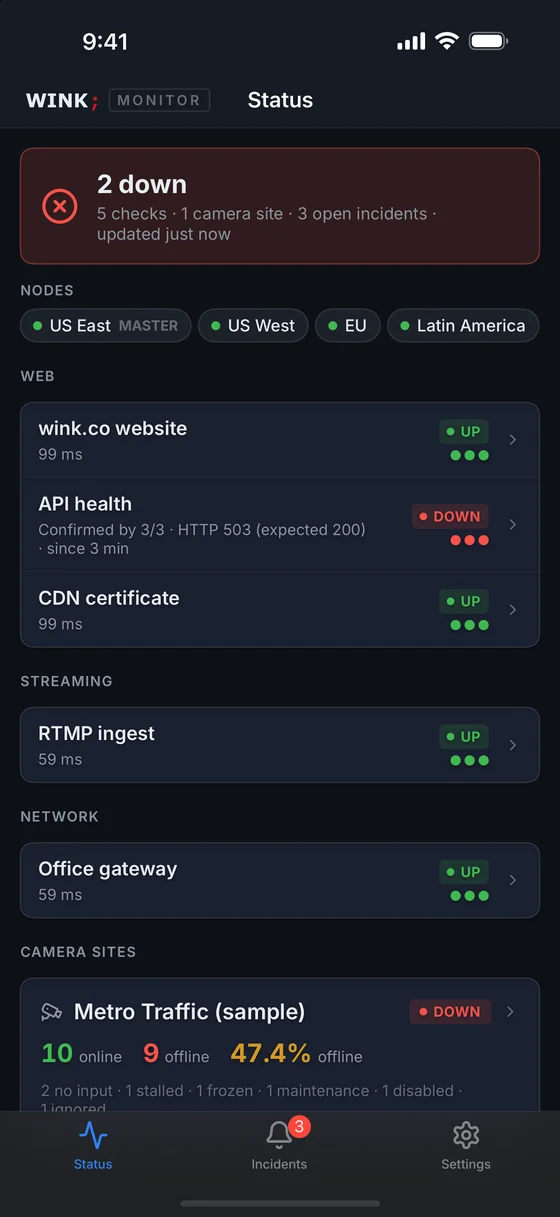
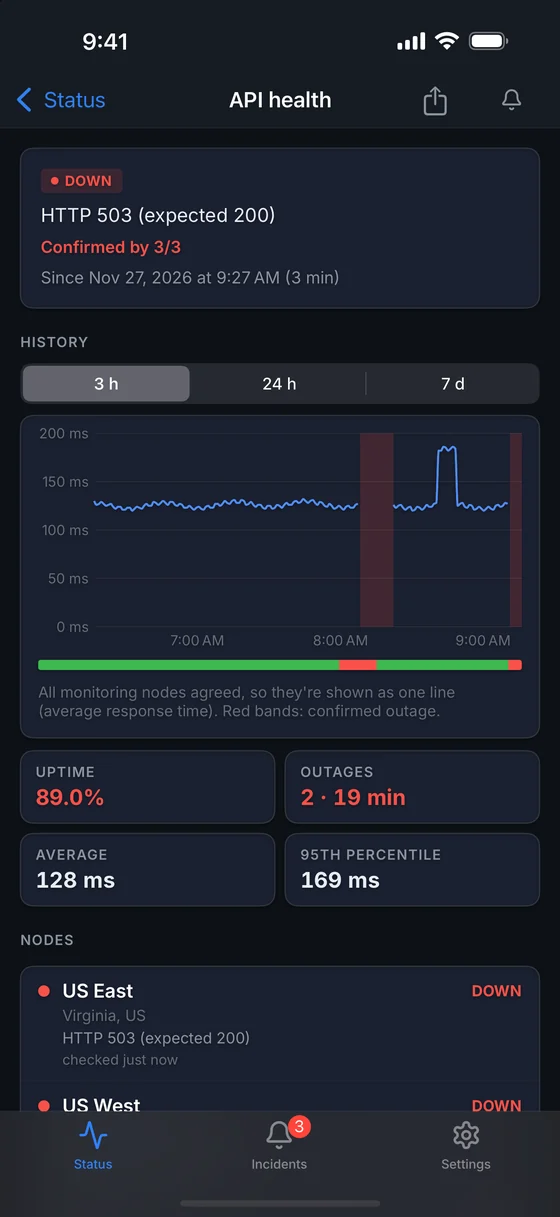
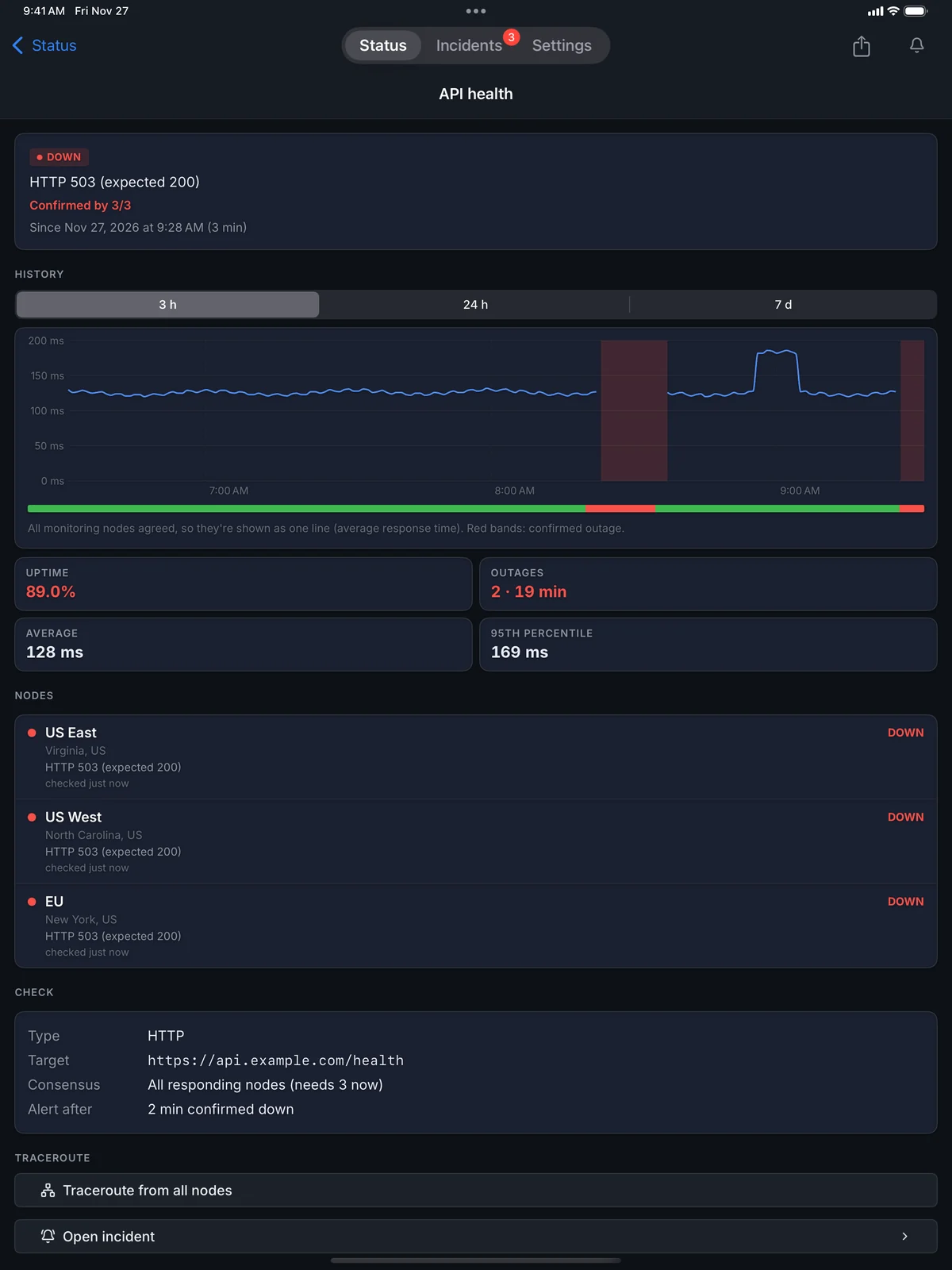
The WINK Monitor status screen, showing two checks down, the monitoring locations reporting, and each website, stream and network check with its response time A WINK Monitor check detail screen, showing a response time chart, uptime and outage counts, and the result from each monitoring location

Part of the service, not a separate product

WINK Monitor is a feature of WINK Streaming's service rather than something to buy. Customers running WINK products get it with their account. We set up monitoring of the WINK systems and cameras on that account, and add up to twelve courtesy checks for whatever else matters to you, such as a public website, a VPN gateway or a mail server. Install the application, sign in, and your team is covered.

Round the clock status for the people who carry the pager

WINK Monitor sits alongside WINK Crossroad. Crossroad is where operators work with cameras and video; WINK Monitor is how support staff know, at any hour, that the system behind it is running. Every WINK Media Router, server and service on the account is visible at a glance, with the problem ones first.

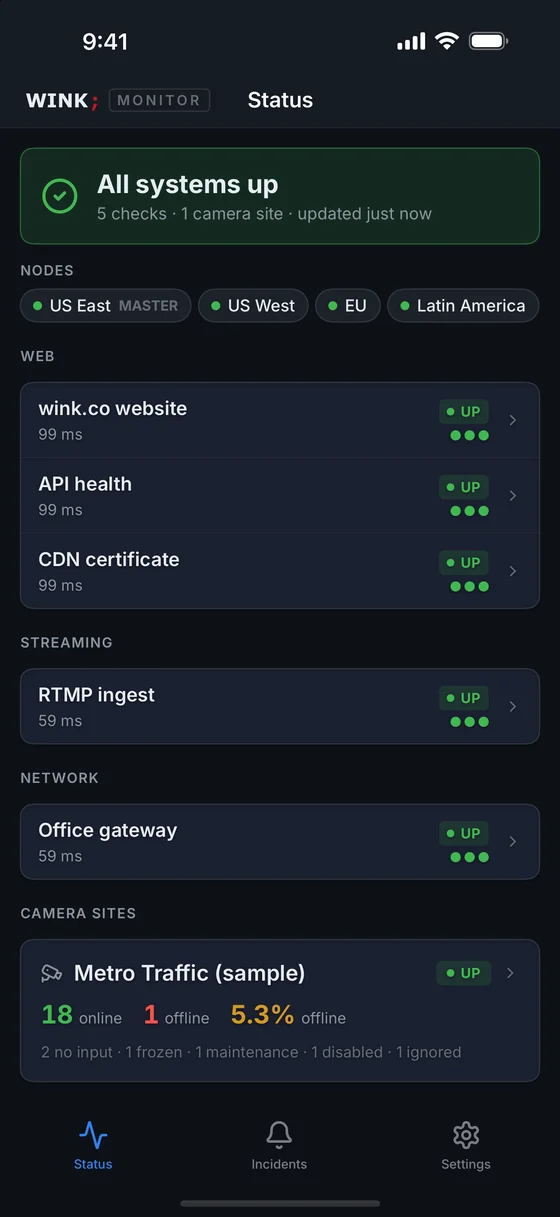
The status screen leads with a plain summary, either that everything is up or exactly how many things are not, followed by the monitoring locations currently reporting and each check with its state and response time.

The WINK Monitor status screen with everything reporting up, listing website, streaming and network checks and a camera site

Alerts that get through, and stop when they should

A push notification with a distinct WINK alarm sound goes out when something goes down, and a second one when it recovers. On iPhone and iPad the alerts are marked Time Sensitive, so they break through Focus modes; on Android they use their own notification channel with the alarm sound.

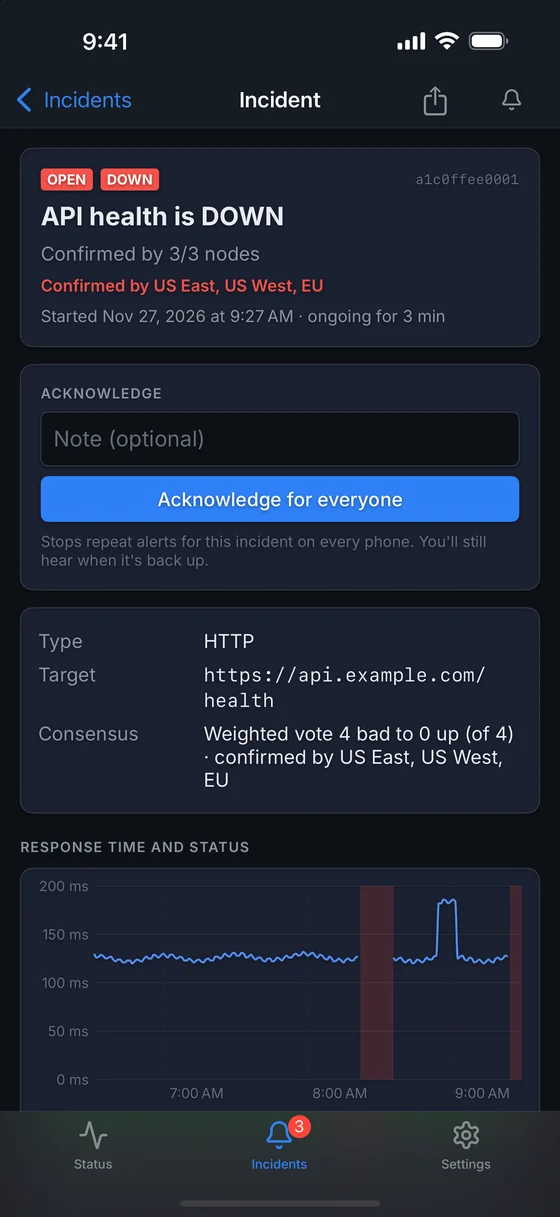
Acknowledging an incident tells the rest of the team it is being handled and stops the repeat alerts on everyone's phone, while still letting everyone know when it recovers. A check can be muted for planned work, and quiet hours keep nights calm with the option to let genuine outage alarms through anyway.

A WINK Monitor incident screen showing which monitoring locations confirmed the outage, an acknowledgement button, and a timeline from first failure to recovery

Alert emails that fit the way your team already works

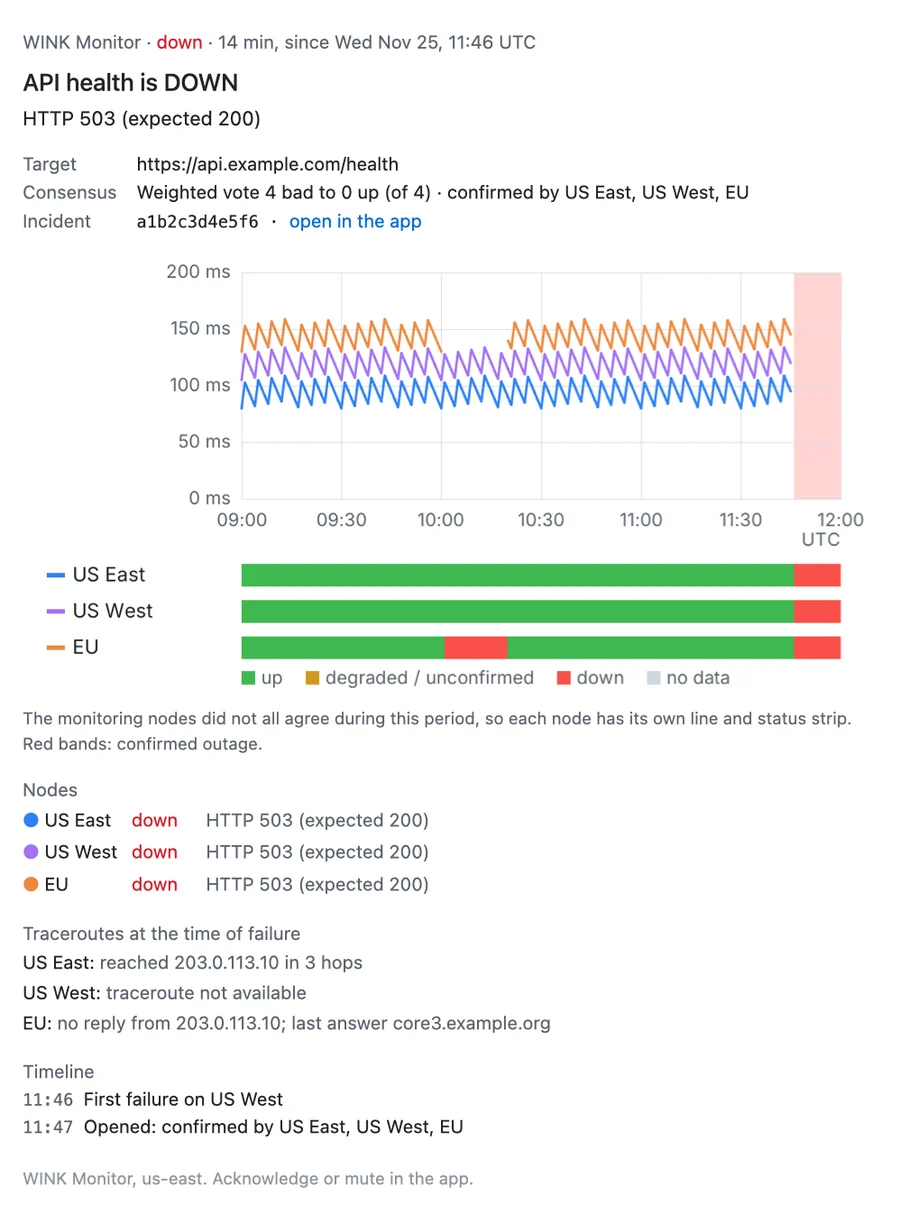
Every outage and recovery can be emailed as well as pushed. The emails are deliberately plain: what failed, since when, which monitoring locations confirmed it, a response time chart, the result and network path from each location, and a timeline.

Because they are short and structured, they go wherever the work happens. Send them to your ticketing system so that every outage opens a ticket without anyone retyping it, to a Microsoft Teams channel by its channel email address, or straight to your team's inboxes. WINK support sets the addresses for your account; you only have to say where.

A WINK Monitor alert email, showing the failing check, how long it has been down, the result from each monitoring location and a response time chart

Every camera checked, not just the server in front of them

A recorder answering on the network tells you very little about whether the cameras behind it are producing pictures. For each WINK Media Router site, WINK Monitor checks every camera continuously for three separate things: that the stream is running, that the picture the router holds is current, and that the picture is real video rather than colour bars, a blank screen or a frame that has not changed in a long time.

That last check is the one that matters most in the field. A camera disconnected from its encoder keeps streaming happily, it just streams a "No Video" screen, and a monitor that only tests reachability will call it healthy. WINK Monitor reports it separately, and keeps the history for each camera so you can see when it stopped and for how long.

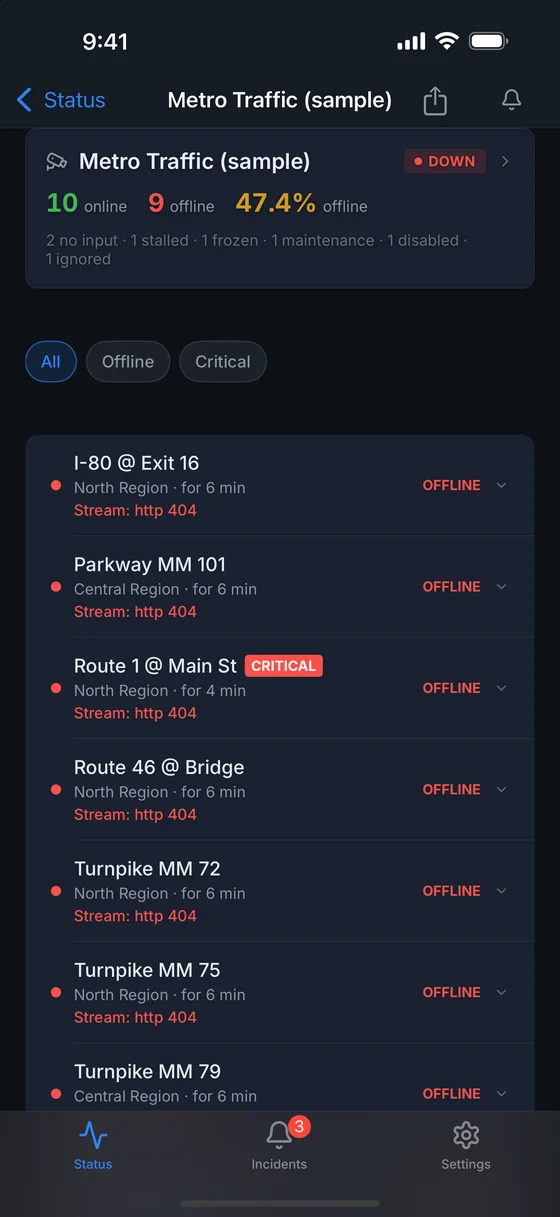
The WINK Monitor camera list for one site, showing each camera as online, offline, stalled or frozen with how long it has been in that state

Confirmed from several places before anyone is woken

Every check runs at the same time from monitoring locations on different networks, in the United States and in Latin America. Each location votes, and an outage is only reported when they agree.

If one location has a problem of its own it is outvoted, its votes stop counting, and nobody is alerted. If the system really is down, every location sees it and the outage is confirmed within minutes. The monitoring service itself runs on several servers that each hold a full copy of the data, and the application moves to another automatically if one cannot be reached.

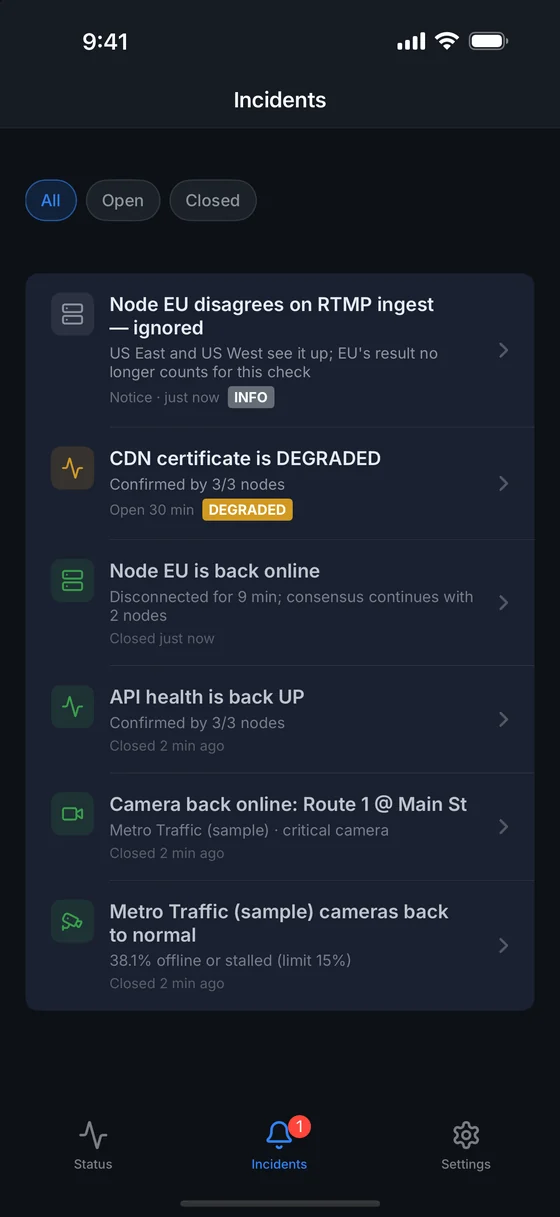
The WINK Monitor incidents list, showing open and closed incidents including one where a single monitoring location disagreed and was ignored

What it watches

  • WINK Media Routers, and every camera on them
  • WINK Crossroad and the other WINK servers on your account
  • Websites and APIs over HTTPS, including how fast they answer and how long until the certificate expires
  • Ping, for anything that should answer on the network
  • TCP ports, for services such as mail, VPN and databases
  • DNS, so you know your own names still resolve

History worth keeping

Response time charts run from three hours to seven days, with uptime, outage counts and average and 95th percentile response times for the period shown. History is kept for eighteen months.

Every incident keeps its own timeline, from first failure through confirmation and acknowledgement to recovery, and a chart can be shared straight into a ticket or a chat as an image.

On a tablet as well. The iPad layout puts the check list and its detail side by side, so a support desk can keep the whole account on screen. Android phones and tablets are covered by the same application.

On a tablet

WINK Monitor on an iPad, showing the response time chart, uptime figures and the result from each monitoring location beside the check list

Screens show sample data from our own test account.

Accounts come from us

There is no sign-up screen. WINK Streaming creates logins for your team, the same way as the other WINK applications, so there is no separate access list to keep in step. The sign-in screen offers a sample data mode for looking around without an account.

Changing what is watched

Checks are not edited in the application. Settings holds a request form that goes to WINK support, and a list of every check and camera site on your account, so you can always see what is covered.

No advertising, no tracking

The application carries no advertising and no tracking or profiling software. Crash and diagnostic reports are covered in our privacy policy.

Common questions

Do I have to buy WINK Monitor separately?

No. It is part of WINK Streaming's service. Customers using WINK products get it with their account: we set up monitoring of the WINK systems and cameras on that account, plus up to twelve courtesy checks of your choosing, such as a public website or a VPN gateway.

Will it wake somebody up over a single bad network path?

No. Every check runs at the same time from monitoring locations on different networks, and each location votes. An outage is reported only when the locations agree, so a location having a problem of its own is outvoted and no alert is sent. A real outage is confirmed within minutes.

Can alerts go into our ticketing system?

Yes. Every outage and recovery can be emailed as well as pushed to phones, and the emails are written to be readable by a person and by a ticketing system. They can go to your ticket queue so each outage opens a ticket, to a Microsoft Teams channel by its channel email address, or to your team's own inboxes. WINK support sets the addresses for your account.

How does it know a camera is really working?

For each WINK Media Router site, every camera is checked continuously for three things: that the stream is running, that the picture the router holds is current, and that the picture is real video rather than colour bars, a blank screen or a frozen frame. A camera that is streaming a "No Video" screen is reported separately rather than counted as offline.

Is there a sign-up in the app?

No. Accounts are created by WINK Streaming for your team, in the same way as the other WINK applications. The sign-in screen offers a sample data mode so you can look around the application without an account.

How far back does the history go?

Eighteen months. Response time charts cover three hours to seven days, with uptime and outage counts for the period shown, and every incident keeps its own timeline from first failure through to recovery.

Already a WINK customer?

Ask your account manager, or write to support@wink.co, to turn WINK Monitor on for your team. Tell us where the alert emails should go and we will set them up with the account.

Read the user manual Contact us

Related

WINK Crossroad · WINK Media Router · All WINK mobile applications · WINK Monitor user manual · All products